Settings for Cable and Wireless in UK for any Linksys Modem.
Encapsulation : RFC2364 PPPoA.
Multiplexing : VC
QoS : UBR.
Auto Detect : Disable.
VPI : 0. VCI : 38.
Username : is provided by cable and wireless
Password : is provided by cable and wireless.
Make sure Keep Alive is selected. And Save Settings.

WRT54GL with Digiweb !
WRT54GL : Wireless-G Broadband Router.
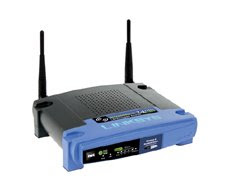 All-in-one Internet-sharing Router, 4-port Switch, and 54Mbps Wireless-G (802.11g) Access Point
 All-in-one Internet-sharing Router, 4-port Switch, and 54Mbps Wireless-G (802.11g) Access Point
- Shares a single Internet connection and other resources with Ethernet wired and Wireless-G and -B devices
- Push button setup feature makes wireless configuration secure and simple
- High security: TKIP and AES encryption, wireless MAC address filtering, powerful SPI firewall
How to connect 54GLwith Digiweb in Ireland.
- Connect the computer to any 1 of the 4 ports on the router.
- Reset the router for 10 seconds. The reset button is located at theback side of the router.
- The Powerlight on the router starts flashing. Turn the router OFF & turn the modem OFF.
- Turn the Modem ON first. Wait for 10 seconds. Turn the router ON.
- Try Internet from the computer connected to the router.
- You should be able to go online. If you are not abble to go online, Check the following :
- The computer is not assigned a Static IP Address. If it is, change the setting to Obtain IP Address Automatically.
- Also check the DNS is assigned to Obtain Automatically.
- The connection is done properly.
- To open the Setup page, the default IP Address is : 192.168.1.1
- The default password is admin.
- This process applies to all Linksys routers like WRT54G, WRT54GR, WRT54GC, WRT54GL, WRT54GS, WRT100, WRT150N, WRT160N, WRT300N, WRT310N, WRT330N, WRT350N, WRT600N, WRT610N etc
WVC11B quick tip.
Pictures and video images captured by the WVC11B are blurred.
If video captures, images/pictures captured thru WVC11B appear blurred, slightly turn the Focus ring (either clockwise or anti-clockwise) until you get the best results.
If video captures, images/pictures captured thru WVC11B appear blurred, slightly turn the Focus ring (either clockwise or anti-clockwise) until you get the best results.
Setup WPA on Linksys Router !
How can I set up WPA on my Linksys Router?
Step 3 : Select WPA Personal under the Security Mode drop-down menu.
Step 5 : Enter your desired WPA Key on the WPA Shared Key field such as “MyPrivateKey.” This will serve as your network key whenever you connect to your wireless network.

Step 1 : Access the router’s Setup page.
Step 2 : When the router’s web-based, setup page appears, click Wireless and select Wireless Security.
Step 3 : Select WPA Personal under the Security Mode drop-down menu.

Step 4 : Select TKIP on WPA Algorithms.
Step 5 : Enter your desired WPA Key on the WPA Shared Key field such as “MyPrivateKey.” This will serve as your network key whenever you connect to your wireless network.

NOTE : Do not share this key. This key will secure your wireless network. Leave Group Key Renewal to 3600 seconds.
Step 6 : Click Save Settings.
Subscribe to:
Posts (Atom)